
Melbet Withdrawal Methods
Melbet supports a broad range of withdrawal options for Indian players, including UPI, PhonePe, PayTM, bank transfer, and major cryptocurrencies such as Bitcoin and Ethereum. The minimum withdrawal amount starts at ₹100, with the maximum varying by payment method. Most transactions are processed within 15 minutes to 24 hours, depending on the chosen method. No commission is charged on withdrawals.
Available Melbet Withdrawal Methods
Melbet offers Indian players a wide selection of withdrawal methods with zero commission charged on any transaction. The minimum withdrawal starts at ₹100, and processing times range from near-instant to up to 5 business days depending on the method selected.
| Payment Method | Min Withdrawal | Max Withdrawal | Withdrawal Time | Fees |
|---|---|---|---|---|
| UPI | ₹100 | ₹200,000 | Up to 15 minutes | None |
| PhonePe | ₹100 | ₹200,000 | Up to 15 minutes | None |
| PayTM | ₹100 | ₹200,000 | Up to 1 hour | None |
| Google Pay | ₹100 | ₹200,000 | Up to 15 minutes | None |
| Bank Transfer (NetBanking) | ₹500 | ₹500,000 | 1–5 business days | None |
| Bitcoin | ₹840 (approx. 0.0001 BTC) | No stated limit | Up to 1 hour | None |
| Ethereum | ₹840 (approx. 0.001 ETH) | No stated limit | Up to 1 hour | None |
| Tether (USDT) | ₹84 (approx. 1 USDT) | No stated limit | Up to 1 hour | None |
| Skrill | ₹840 (approx. 10 USD) | ₹840,000 (approx. 10,000 USD) | Up to 24 hours | None |
| Neteller | ₹840 (approx. 10 USD) | ₹840,000 (approx. 10,000 USD) | Up to 24 hours | None |
How to Withdraw Money from Melbet
To request a withdrawal, you need a verified Melbet account with a confirmed payment method and a positive real-money balance. Complete your KYC verification in advance to avoid processing delays.
Log In to Your Account
Click the button below to access the login page. Enter your registered credentials to open your Melbet account.
Open the Cashier Section
Navigate to your profile and select “Cashier,” then click “Withdrawal.” This opens the full list of available payment methods for Indian players.
Choose Your Withdrawal Method
Select your preferred option, such as UPI, PhonePe, or Bitcoin, from the list. Confirm the method matches the one used for your original deposit where applicable.
Enter the Withdrawal Amount
Type in the amount you wish to withdraw in INR or the relevant currency. Ensure the amount is within the minimum and maximum limits for your chosen method.
Confirm the Request
Review all details and submit your withdrawal request. You will receive a confirmation notification, and funds will be credited once the request is processed.
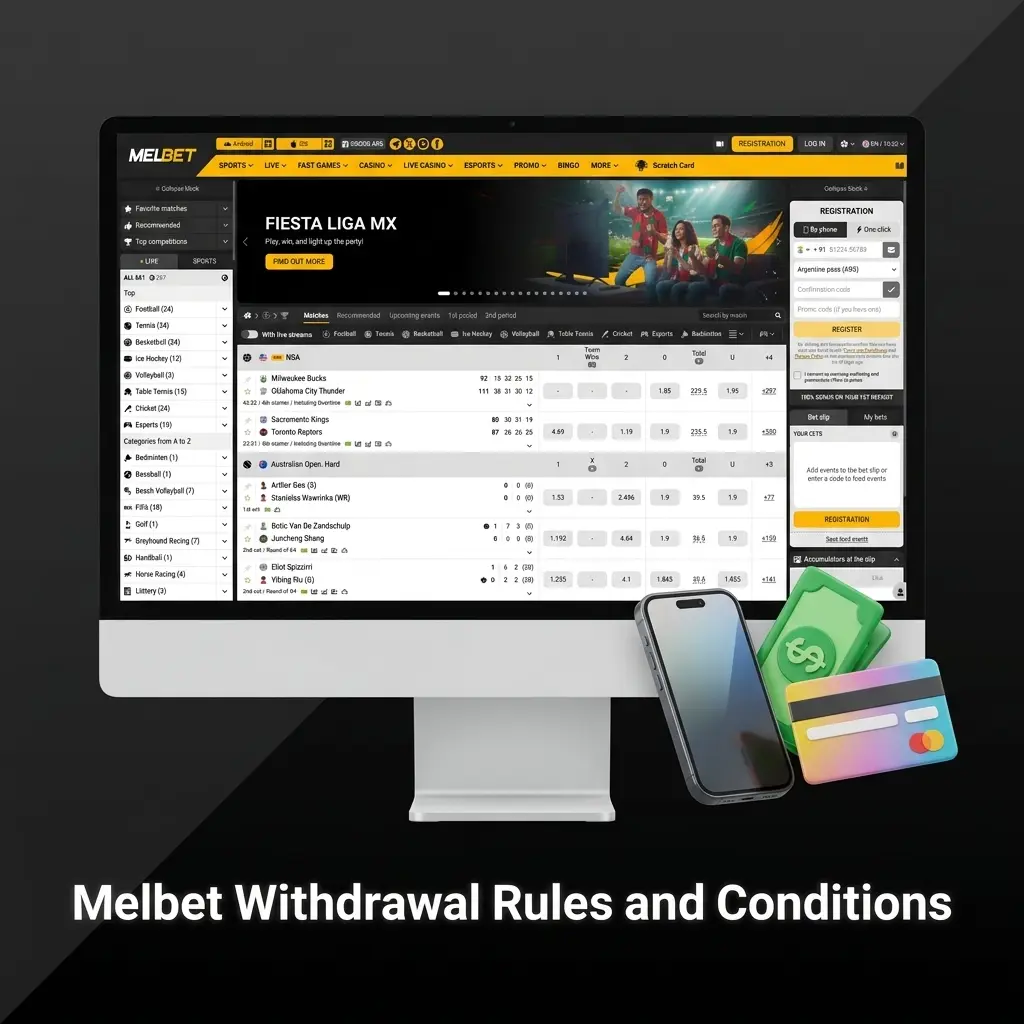
Melbet Withdrawal Rules and Conditions
All withdrawals at Melbet are subject to standard platform rules designed to protect player accounts and ensure secure financial transactions. The conditions below apply to all players in India.
- Identity Verification (KYC): All accounts must complete KYC verification before processing a withdrawal request. Submit a valid government-issued ID such as an Aadhaar card, PAN card, or passport;
- Bonus Wagering Requirements: Funds received from bonuses, including the welcome bonus, must be wagered according to the applicable rollover conditions before they become eligible for withdrawal;
- Same-Method Rule: Melbet requires that withdrawals be processed via the same payment method used for the deposit, up to the deposited amount. This is a standard anti-fraud measure;
- Withdrawal Limits: Each payment method carries its own minimum and maximum withdrawal limits. For example, UPI allows withdrawals from ₹100 up to ₹200,000 per transaction;
- Account in Good Standing: Withdrawals are only processed from accounts that have not violated the platform’s terms of service. Accounts under review or flagged for suspicious activity may have transactions placed on hold pending investigation.
Possible Problems with Melbet Withdrawals
Several common issues can affect the processing of withdrawal requests on the platform, each with a straightforward resolution:
- Incomplete KYC Verification: A withdrawal request cannot be processed if your account identity has not been verified. Upload the required documents (Aadhaar, PAN, or passport) through the account profile section to complete verification;
- Unmet Wagering Requirements: Bonus funds are not withdrawable until the stated wagering conditions are fulfilled. Check your active bonus terms in the account promotions section for the exact rollover requirements;
- Incorrect Payment Details: A request may be declined if the account number, UPI ID, or crypto wallet address is entered incorrectly. Double-check all payment details before confirming your withdrawal;
- Withdrawal Below Minimum Limit: Requests for amounts below the method-specific minimum will be automatically rejected by the system. Ensure your withdrawal amount meets the minimum threshold for your chosen method (e.g., ₹100 for UPI);
- Request Processing Delay: Bank transfers and some e-wallets may take up to 5 business days during peak periods. If a transaction has not arrived after the stated processing time, contact the support team with your transaction reference number.
Customer Support
If you encounter any issue with a withdrawal, the Melbet support team is available 24/7 to assist. You can reach the team through the following channels:
- Live Chat: Available directly on the platform via the chat icon. Connect with an agent instantly for real-time assistance with your withdrawal request;
- Email: Submit a detailed query to support@melbet.com. Include your account ID and transaction reference for faster resolution;
- Telegram: Contact Melbet support via the official Telegram channel at t.me/MelbetSupport for quick responses;
- Phone: Melbet offers a callback option available through the support section of your account for urgent matters.

FAQ
How long does a Melbet withdrawal take in India?
Processing times depend on the payment method. UPI, PhonePe, and Google Pay withdrawals are typically completed within 15 minutes. Bank transfers can take 1 to 5 business days. Crypto withdrawals such as Bitcoin and Ethereum are generally processed within 1 hour.
Is there a minimum withdrawal amount at Melbet?
Yes. The minimum withdrawal amount for UPI, PhonePe, PayTM, and Google Pay is ₹100. For NetBanking and bank transfers, the minimum is ₹500. Crypto minimums vary by currency.
Does Melbet charge any fees on withdrawals?
No fees are charged by Melbet on any withdrawal transaction. Your bank or payment provider may apply their own charges independently.
Can I withdraw funds without completing KYC?
No. Identity verification is mandatory before any withdrawal is processed. Submit a valid government-issued document such as an Aadhaar card or PAN card to complete KYC.
Can I withdraw my welcome bonus winnings?
Bonus funds must meet the specified wagering requirements before they are eligible for withdrawal. Check the applicable rollover conditions in the promotions section of your account.
Which withdrawal method is fastest for Indian players?
UPI and PhonePe are the fastest available options, with funds typically credited within 15 minutes of request approval.
Can I withdraw to a different account than the one I used to deposit?
Melbet requires withdrawals to be directed to the same payment method used for the deposit, up to the deposited amount. This policy is in place to prevent unauthorised financial activity on the platform.
Updated: