
Download Melbet for PC – Windows and MacOS
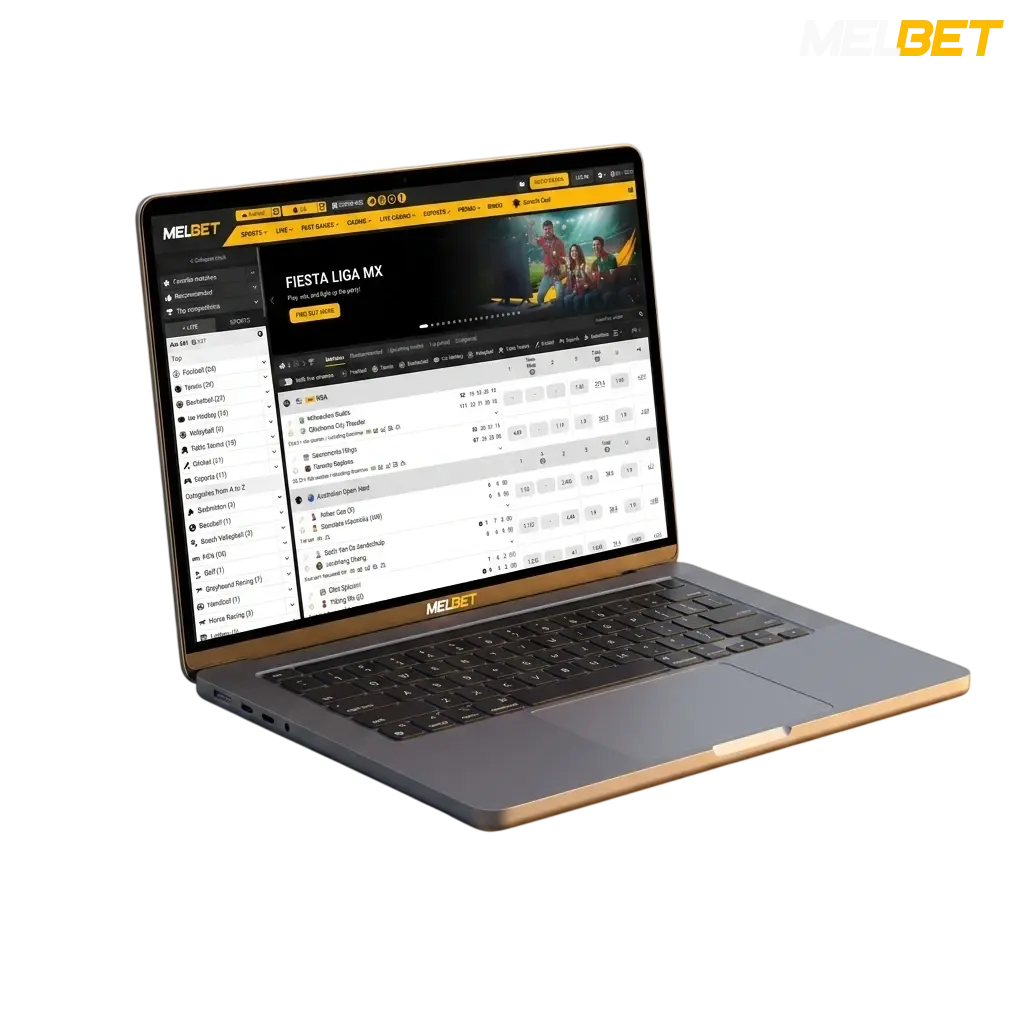
The Melbet desktop application brings the full platform to your computer, covering live casino, slots, roulette, table games, and sports betting in one dedicated client. It is free to download and runs on both Windows and MacOS, delivering the same account access, odds, and game library as the web platform. The desktop version loads faster, runs without browser tabs, and keeps all features available from a single icon on your taskbar.
Melbet PC Client – At a Glance
The Melbet PC app gives you a dedicated betting environment with faster load times, no browser dependency, and direct access to live events without tab clutter. Below is a summary of the key specifications for the desktop client.
| PC Client Size | Approximately 60 MB |
| Available Languages | English, Hindi, Bengali, Tamil, Telugu |
| Category | Sports Betting, Online Casino, Live Casino, Instant Games, Game Shows, Esports |
| Compatible with Windows | Windows 7, Windows 8, Windows 10, Windows 11 |
| Compatible with macOS | macOS 10.12 Sierra and above |
| Bonus for PC Users | 300% up to 50,000 INR on first deposit |
Pros and Cons of the Melbet PC Application
Installing the Melbet PC app is worth considering for regular players, though a few limitations apply depending on your setup. The table below covers the key advantages and the minor drawbacks.
| Pros | Cons |
|---|---|
| Faster performance than the browser version with no tab overhead | Requires a one-time manual download and installation |
| Full access to 7,000+ casino games and all sportsbook markets | Not available directly through app stores such as the Microsoft Store |
| Dedicated desktop icon for instant one-click login | Occasional manual update required to access new features |
| Live streaming of cricket, football, and other sports directly in the client | |
| All Indian payment options available, including UPI, Paytm, and PhonePe | |
| Supports Hindi and 4 other Indian regional languages in the interface | |
| Runs on Windows 7 through Windows 11, covering the majority of Indian PCs |
How to Download and Install the Melbet App on Windows
Click the download button.
Press the “Download for Windows” button on this page to begin the process.
Get the installer file.
The setup file (approximately 60 MB) will save automatically to your default Downloads folder.
Allow the installation.
Open the downloaded file. If Windows displays a security prompt, click “Run Anyway” to proceed.
Complete the setup.
Follow the on-screen prompts in the installer. The app will create a shortcut on your desktop automatically.
Launch and log in.
Open the Melbet icon on your desktop, log in to your existing account, or register a new one to start betting.
How to Download and Install the Melbet App on Mac
Click the download button.
Press the “Download for iMac” button on this page to start the download.
Open the installer.
Locate the downloaded DMG file in your Finder Downloads folder and double-click it to mount the image.
Move to Applications.
Drag the Melbet icon into your Applications folder as shown in the installer window.
Approve the app in Security settings.
If macOS blocks the launch, go to System Preferences, open Security and Privacy, and click “Open Anyway”.
Launch and access your account.
Open Melbet from your Applications folder or Dock, then log in or complete registration to activate your 300% bonus up to 50,000 INR.
How to Update the Melbet PC Client
Keeping the Melbet PC app updated ensures you have access to the latest odds feeds, newly released games, and security patches. Updates are typically released monthly and install in under 2 minutes.
Open the desktop app.
Click the Melbet icon on your desktop or taskbar to launch the client.
Check for an update notification.
The app displays an update prompt on the home screen when a new version is available. Click “Update Now” to proceed.
Let the update download and apply.
The client downloads and installs the update automatically. The process takes approximately 1 to 2 minutes depending on your connection speed.
Restart the app.
Once the update is complete, the client restarts automatically. Log back in to continue betting with all new features active.
Register and Start Betting via the PC App
Creating a Melbet account through the PC app takes under 3 minutes, and new users are eligible for a 300% welcome bonus up to 50,000 INR on their first deposit. The registration process is identical to the website and supports four sign-up methods.
Open the app on your computer.
Launch the Melbet desktop client from your desktop shortcut or Applications folder.
Click the Registration button.
Select the green “Register” button in the top right corner of the client interface.
Choose your registration method.
You can register in one of four ways: by phone number, by email address, through a one-click option with currency selection, or via a social media account (Google, Telegram, or others listed in the app). Enter the required details for your chosen method.
Verify your account and claim your bonus.
Confirm your phone number or email as prompted, then make your first deposit using UPI, Paytm, PhonePe, or any other available option to activate the welcome bonus.
Support for Desktop Users
Melbet provides multiple support channels for desktop users, with live chat available around the clock. The table below lists all contact options with direct access details.
| Support Channel | Contact Details |
|---|---|
| Live Chat | Available 24/7 directly within the PC app and on the website |
| support@melbet.com | |
| Phone | +357 250 30 777 |
| Telegram | @MelbetSupport_bot |
| @melbet_official | |
| Twitter / X | @MelbetOfficial |
| FAQ Section | Accessible via the Help Centre tab inside the PC client |
FAQ
Is the Melbet PC app free to download?
Yes. The desktop client for both Windows and macOS is completely free. No subscription or fee is required to download or install it.
Can I use the same account on the PC app and the mobile app?
Yes. Your Melbet account works across all platforms. Your balance, bonuses, and betting history are synced across the PC client, mobile app, and browser version.
Does the PC app support UPI deposits?
Yes. UPI, Paytm, PhonePe, and other India-specific payment options are fully available inside the desktop client under the Cashier section.
Are live odds available in the PC app?
Yes. The desktop client provides live odds updates for cricket, football, kabaddi, tennis, and all other sports listed on the platform.
Is the PC app available in Hindi?
Yes. The interface supports Hindi along with English, Bengali, Tamil, and Telugu. You can switch the language from the Settings menu inside the app.
Do I need to create a new account to use the PC app?
No. If you already have a Melbet account, log in directly using your registered phone number or email. New users can register directly within the app.
Does the PC app work on 32-bit Windows systems?
The Melbet app for Windows is optimised for 64-bit systems running Windows 7 or later. If your computer runs a 32-bit version of Windows, the browser-based website is the recommended option.
Updated: